Overview fields
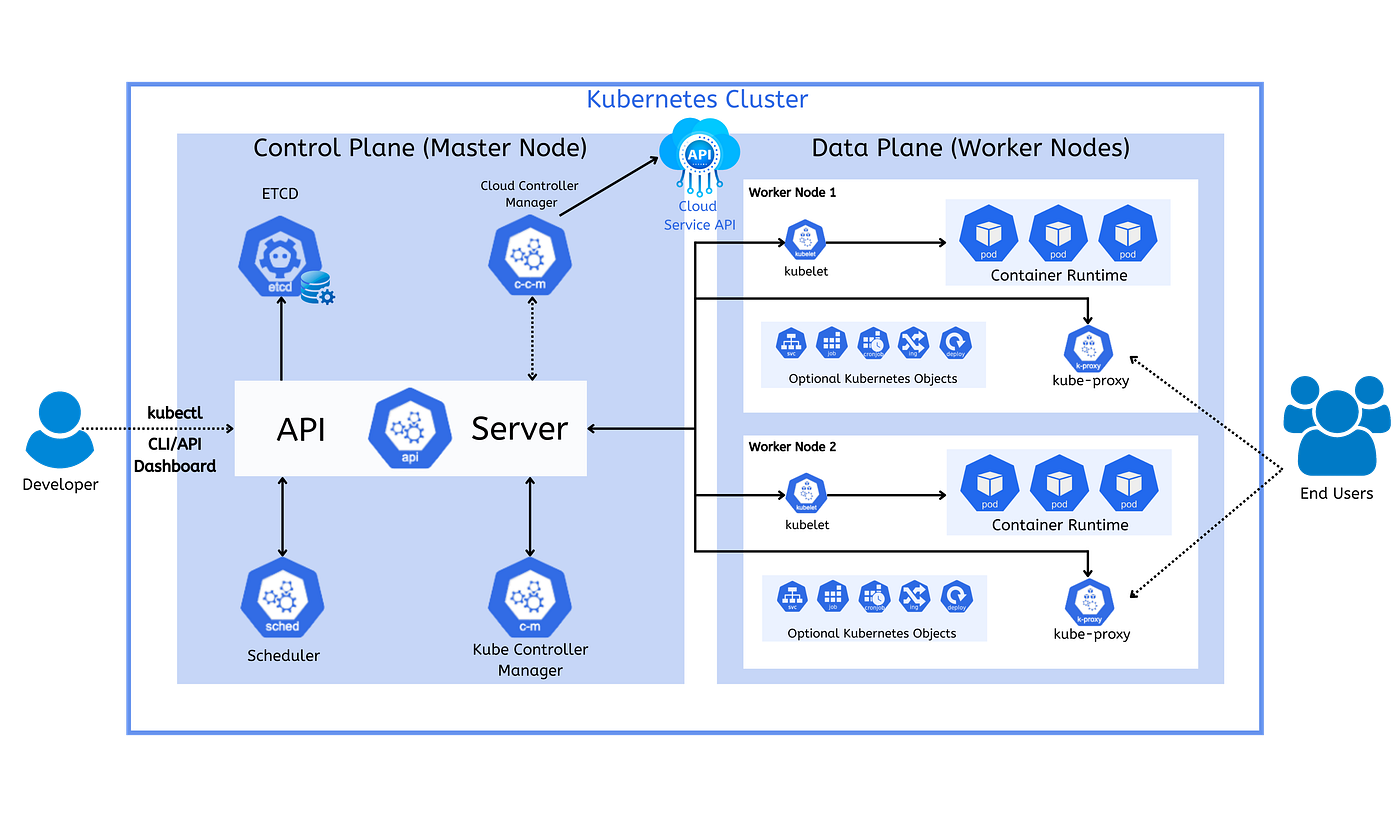
| Field | Meaning |
|---|---|
| Cluster name / context | Environment identity and display context used throughout the portal. |
| Pods / Namespaces / Nodes | High-level counts shown in summary cards and related tables. |
| Status indicators | Top-line health signals that help decide where to drill down next. |
| Last refresh | How recently the visible status view was refreshed. |
Object detail fields
Pods, workloads, namespaces and nodes share a small set of reading habits:
- Status tells you the current object state.
- Owner helps identify the responsible workload or team.
- Age provides context for whether the issue is new or longstanding.
- Last activity helps distinguish stale warnings from active change.
- Related commands point to the normal next step outside the portal.
Event fields
Event cards usually expose severity, category, source, related object and a short impact summary. Treat repeated warnings or cross-namespace patterns as a stronger signal than a single isolated line.
Registry fields
| Field | Meaning |
|---|---|
| Repository / tag | Image identity as shown to operators. |
| Digest | Immutable image reference used to confirm the exact build. |
| Project / source | Logical origin or owning delivery lane. |
| Consumers | Known workloads or service areas that depend on the image. |
| Signed / immutable | Flags that help interpret promotion and policy controls. |
Reading time and freshness
Use Last refresh, Last updated and object-level Last activity together. A healthy status with stale activity often means the object is simply quiet; a healthy status with fresh warnings deserves closer review.
ExampleA repository updated yesterday with unchanged consumers is less urgent than a pod that changed seconds ago and is now accumulating restarts.