Pods and containers
A pod groups one or more containers that share network and, optionally, storage. Operators usually inspect pods for readiness, restart growth, image version, placement and recent warnings.
Compute
Pods, deployments, daemon sets, stateful sets, jobs and cron jobs describe how work is placed and updated.
Access and policy
Roles, bindings, service accounts, network policy and secrets define boundaries around that work.
Routing and storage
Services, ingress, persistent volumes and claims explain how workloads receive traffic and keep state.
Workload controllers
- Deployment — manages stateless replicas and rolling updates.
- StatefulSet — keeps stable identities and ordered rollout for stateful services.
- DaemonSet — places one pod per node for agents such as logging, security or telemetry.
- Job/CronJob — runs finite or scheduled work outside the steady-state service path.
Services and ingress
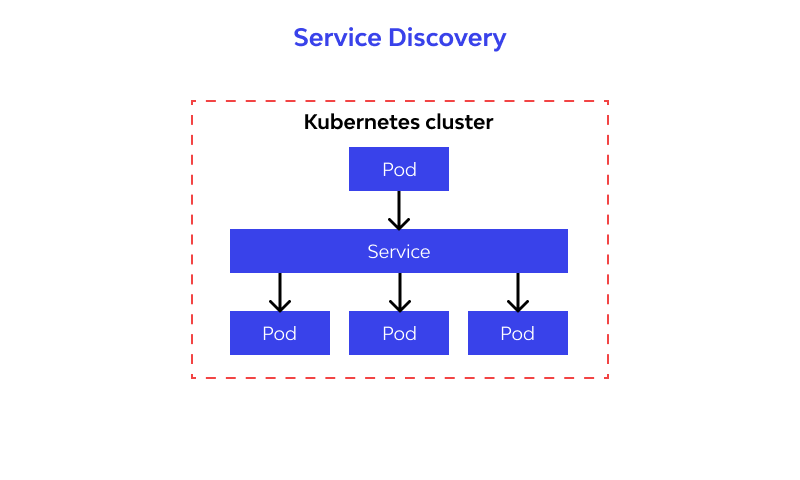
Services provide stable cluster-facing addresses in front of dynamic pod endpoints. Ingress resources describe HTTP(S) routes and termination boundaries.
Namespaces and policy
Namespaces provide boundaries for ownership, policy, quotas and access. They are often the fastest way to interpret related events because most warnings, workloads and configuration objects cluster around a namespace boundary.
- Use namespace details to identify owner, related workloads and recent activity.
- Review network policy and service account patterns together when access looks inconsistent.
Reading the portal
The portal surfaces these objects as summary cards, searchable tables and detail drawers. A good reading order is usually:
- open the affected object,
- check status, age, owner and recent activity,
- follow links to related node, namespace, event or image metadata,
- switch to observability when repeated warnings need more context.